aryve for airports

Indoor navigation use cases for airports

Thirteen ways airports use aryve: from full navigation in the browser and chat wayfinding to support for PRM and anxious passengers, audio guidance, retail and robots. All from one camera image and one digital twin of the terminal, with no beacons.

1–3 sto a position from one photo
±10–30 cmpositioning accuracy indoors
0beacons or other hardware
48 hfrom scan to live at Paderborn
Passengers

Guide every passenger from the entrance to the gate

How does camera-based indoor navigation work in a terminal?

Full navigation in the browser, without chat or app

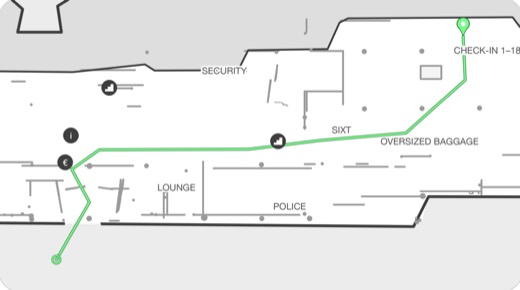
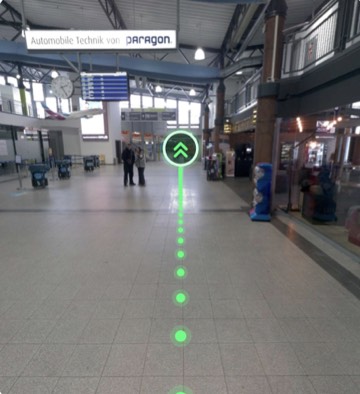
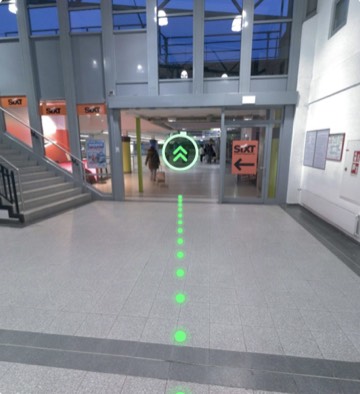
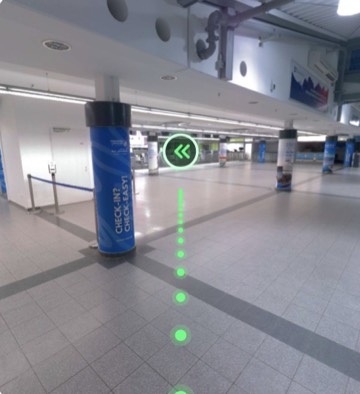
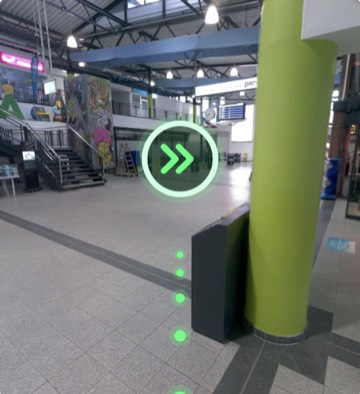
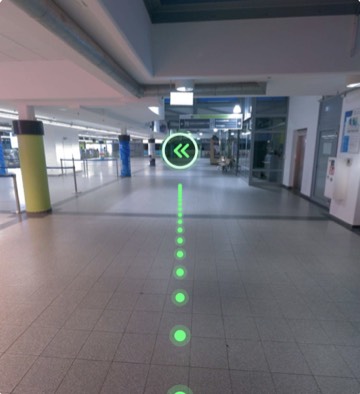
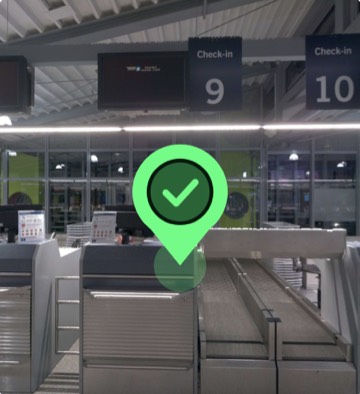
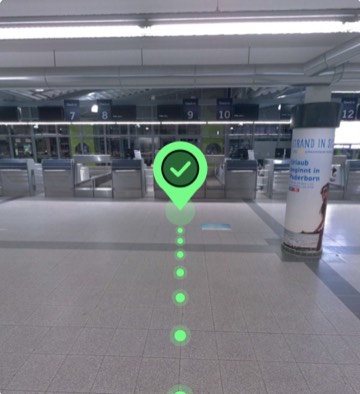
The passenger opens a web link, for example from a QR code or the airport website, and takes one photo. aryve compares it with the digital twin of the terminal and returns the position in seconds, shows the route on the terminal map and guides step by step to the gate, all in the browser. No chat, no app and no beacons are needed. It is in live operation at Paderborn/Lippstadt Airport.

  1. Open a web link and take one photo
  2. Position in seconds, route on the terminal map
  3. Step-by-step guidance to the gate, in the browser
BrowserNo appLive
Read the Paderborn case study →
  1. 01One photo
  2. 02Position
  3. 03Route on the map
  4. 04Step by step
  5. 05At the gate

Can passengers navigate an airport through a chat or WhatsApp?

Airport chat and WhatsApp navigation

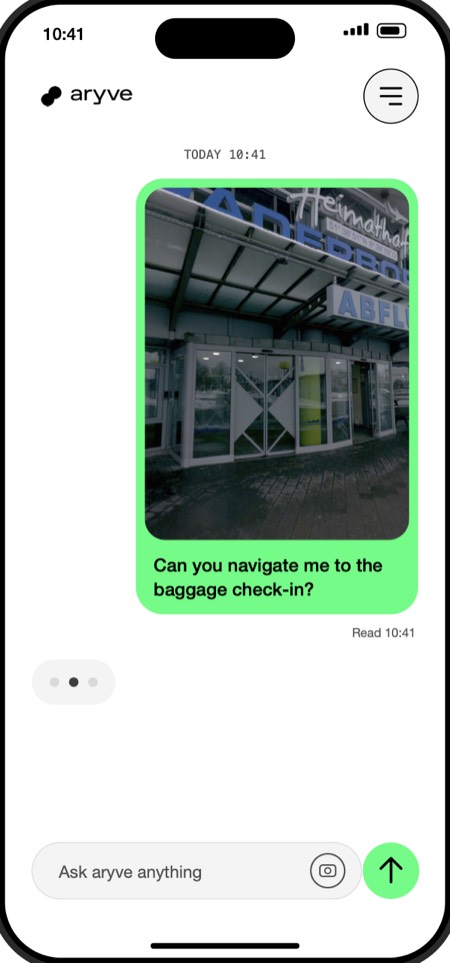
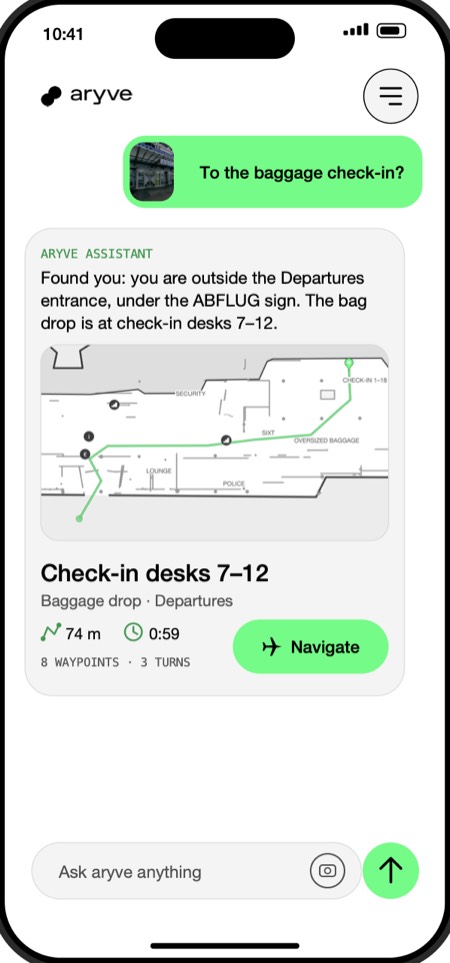
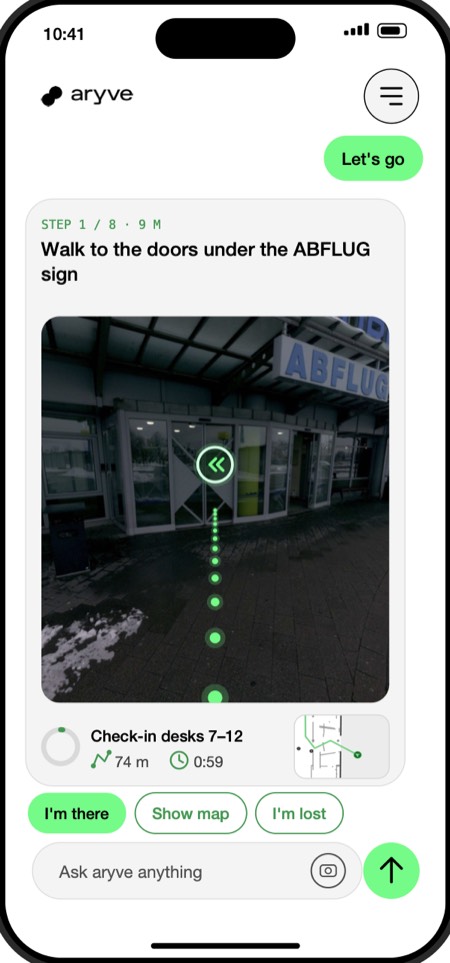
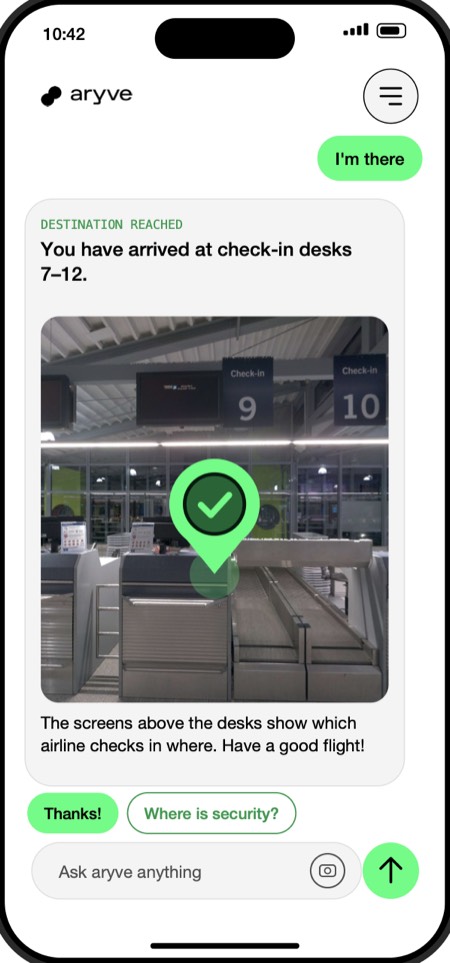
Yes. The passenger sends a photo of where they are and asks for a place. aryve finds the position from the image, replies with the route and then sends one message per waypoint, each with the view from that spot and the way ahead drawn in. It works on the airport website chat or in WhatsApp, without an app.

  1. Photo in: the passenger takes one picture and asks, e.g. for the baggage check-in
  2. Route as a reply: distance, time and waypoints in the chat
  3. Step by step: one message per waypoint until the passenger arrives
ChatWhatsAppNo app

How can transfer passengers find their connecting gate faster?

Transfer passengers

Transfer passengers are often under time pressure in an unfamiliar hub. aryve shows the connection, the way through transfer security and the walking time, and guides gate to gate. It opens in the browser or as an App Clip, so it works on the first visit.

  1. Connection and gate as soon as the passenger lands
  2. Route through transfer security with walking time
  3. Guidance gate to gate, also for tight connections
TransferMinimum connecting time

Can a boarding pass start the route to the gate?

Boarding pass scan

The passenger scans the boarding pass with the phone camera. Flight, gate and boarding time are filled in and the route to the right gate starts straight away.

  1. Scan the boarding pass barcode
  2. Flight, gate and boarding time read automatically
  3. Route to the gate starts at once
Boarding passGate

How do passengers learn about gate changes on the way?

Airport pass in Apple and Google Wallet

An airport pass on the lock screen updates with live gate changes. One tap opens the route to the new gate, so passengers do not have to look for a screen or an announcement.

  1. Pass in Apple Wallet or Google Wallet
  2. Live gate changes on the lock screen
  3. One tap to the route to the new gate
WalletLive updates
Accessibility and PRM

Make the terminal accessible for everyone

How can blind and low-vision passengers navigate an airport?

Audio guide for blind and low-vision passengers

Passengers ask by voice and are guided by spoken instructions and vibration, step by step, from the same digital twin. It works with VoiceOver and TalkBack, so the passenger does not need to look at the screen. The video shows accessible audio navigation live at the airport.

  1. Ask by voice: "Where am I? Take me to my gate."
  2. Spoken directions with haptic cues
  3. Works with VoiceOver and TalkBack
AccessibilityVoiceHapticLive
  1. 01Ask by voice
  2. 02Spoken position
  3. 03Spoken directions
  4. 04Haptic cues
  5. 05At the gate

How can passengers with reduced mobility find step-free routes?

Step-free routes for passengers with reduced mobility

aryve calculates routes without stairs or escalators, includes lifts and leads to mobility service points and gates, independently and on the passenger's own phone. This supports accessibility accreditation targets.

  1. Routes without stairs or escalators
  2. Lifts and assistance points included
  3. Independent, on the passenger's own phone
PRMAccessibilityStep free

How can assistance staff find a passenger who needs help?

Staff find PRM passengers

A passenger asks for assistance in the chat. Staff see the exact position on their map and walk straight there, instead of searching a busy terminal or waiting at a fixed meeting point.

  1. Passenger requests assistance in the chat
  2. Staff app shows the exact position
  3. Staff walk straight to the passenger
PRMStaff appAssistance

How can airports support anxious passengers and hidden disabilities?

Anxious passengers: PRM staff find them

A calm mode suggests quiet routes with fewer crowds and shows the nearest quiet room. With one tap on "I need help" the passenger shares the position, and PRM staff see on their map exactly where the passenger is and walk straight there, also for passengers with hidden disabilities such as those wearing the sunflower lanyard.

  1. Calm mode: quiet routes and quiet rooms
  2. One tap shares the position with the assistance team
  3. PRM staff find the passenger on their map
Anxious passengersPRMHidden disabilities

Can an autonomous vehicle pick up a passenger inside the terminal?

An autonomous vehicle comes to the passenger

A passenger with reduced mobility orders a ride in the chat. The autonomous vehicle uses the same digital twin to drive to the passenger's position and on to the gate.

  1. Ride ordered in the chat
  2. Vehicle drives to the passenger's position
  3. On to the gate on the same digital twin
PRMAutonomous vehiclePhysical AI
Revenue and operations

Retail, robots and terminal design on one digital twin

How can indoor navigation increase non-aeronautical revenue?

Tablet on the trolley: duty free and F&B on the way

A tablet on the baggage trolley shows the time left until boarding and the route to the gate, and suggests duty free and food and drink along the way. Passengers know they have time to shop, and still reach the gate on time.

  1. Time to explore before boarding
  2. Duty free and F&B offers on the route
  3. Back on track to the gate in time
Non aero revenueDuty freeF&B

How do service robots find passengers in a terminal?

Service robots

Robots use the same digital twin as passengers. A passenger asks for help, for example with bags, and a robot drives to the passenger's position and leads the way.

  1. Passenger asks for help in the chat
  2. Robot drives to the passenger on the shared map
  3. Robot leads the way to the destination
RobotsPhysical AI

Can wayfinding be planned into a new terminal from the start?

Digital twin in terminal design

The digital twin and navigation can be planned into terminal concepts from day one, so wayfinding is part of the design and not a retrofit. The same twin then guides passengers on opening day.

  1. Laser scan or design data becomes the digital twin
  2. Routes and waypoints planned with the terminal
  3. Live in the app on opening day
Terminal designDigital twin
Already running

Tested with passengers, cleared for privacy

Paderborn/Lippstadt AirportLive with passengers

Navigation in live operation, tested with real passengers in the terminal.

Munich AirportPrivacy audit passed

The data protection review for camera-based positioning has been completed successfully.

HostingOn premise or airport cloud

The data stays with the airport. aryve runs in the airport's own environment if required.

FAQ

Questions airports ask

Does aryve need beacons or other hardware in the terminal?

No. aryve is a Visual Positioning System: it finds the position from one camera image by comparing it with a digital twin of the terminal. No beacons, Wi-Fi fingerprinting or other installed hardware are needed.

How accurate is camera-based indoor positioning?

aryve positions indoors to about 10 to 30 centimetres from one photo, in 1 to 3 seconds.

Do passengers need to download an app?

No. aryve runs in the browser, in a chat on the airport website, in WhatsApp or as an App Clip. Airports can also integrate it into their own app via SDK and API.

Where is aryve already in use?

aryve is in live operation at Paderborn/Lippstadt Airport, where passengers are guided from one photo. The data protection review for camera-based positioning at Munich Airport has been completed successfully.

How does aryve handle privacy?

People are blurred on the device and only coordinates are returned. aryve can run in the public or private cloud or on premise at the airport.

How long does it take to go live?

At Paderborn/Lippstadt Airport, aryve scanned the terminal and went live within 48 hours. A pilot covers one zone, for example a pier or transfer area, and runs for about four to six weeks.

Which use case fits your terminal? Let us start with one zone.

Talk to us →