Indoor navigation in the chat passengers already use.
Passengers send one photo of their surroundings to a WhatsApp number. aryve replies with where they are and how to get where they want to go, one message per waypoint. No app to install, no beacons in the building.
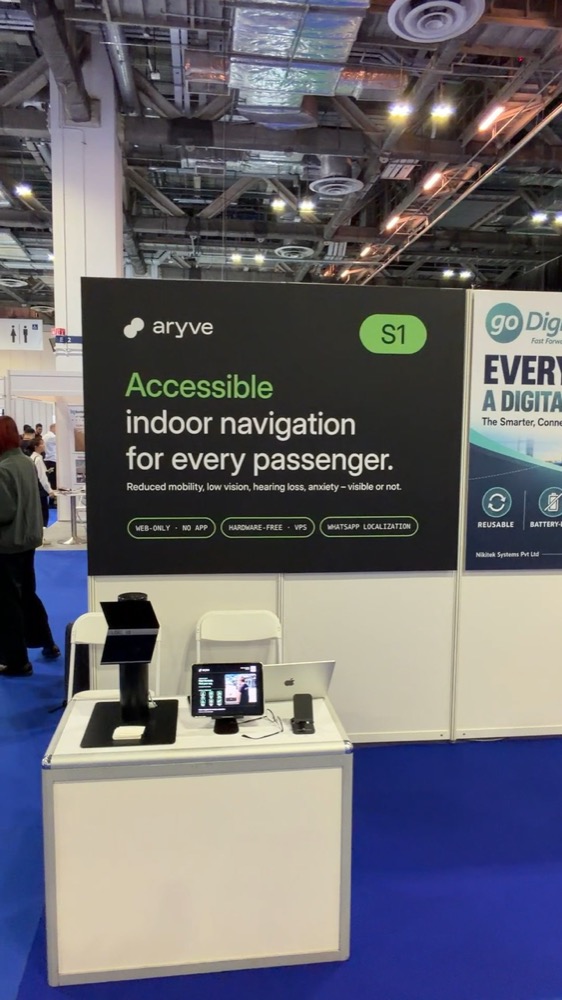
Filmed live at our trade-show booth, unedited.
Four messages from "where am I?" to "you have arrived".
The passenger stays in the chat the whole time. aryve's Visual Positioning System matches the photo against a digital twin of the terminal and answers like a person at the information desk would.
- 01
Send a photo
The passenger opens the aryve chat, for example via a QR code on a sign, and sends a photo of what is in front of them.
- 02
Get the position
aryve replies with the floor and the nearest landmark, and asks where to go. People in the photo are blurred.
- 03
Pick a destination
Type it, for example "exit" or "gate B12", or send "menu" for a list of destinations.
- 04
Follow the route
A map of the route and short instructions with distances. Send another photo at any time to re-check the position.

- Turn left and walk 8 m.
- Turn right and walk 40 m.
- Turn left and walk 10 m.
- You have arrived at the exit.
What the passenger sees, on a normal phone.
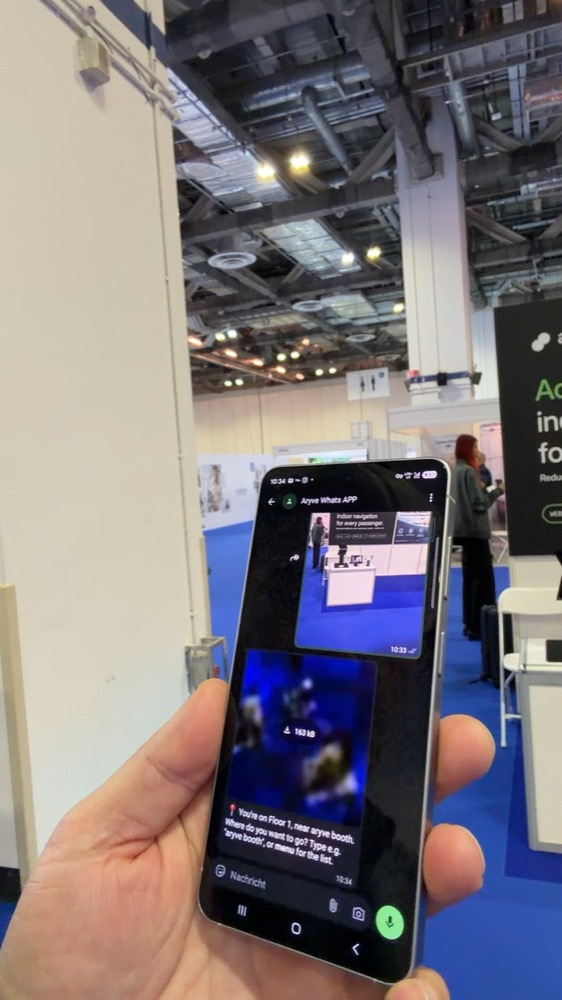
Position. Floor and nearest landmark, a few seconds after the photo. Faces are blurred.
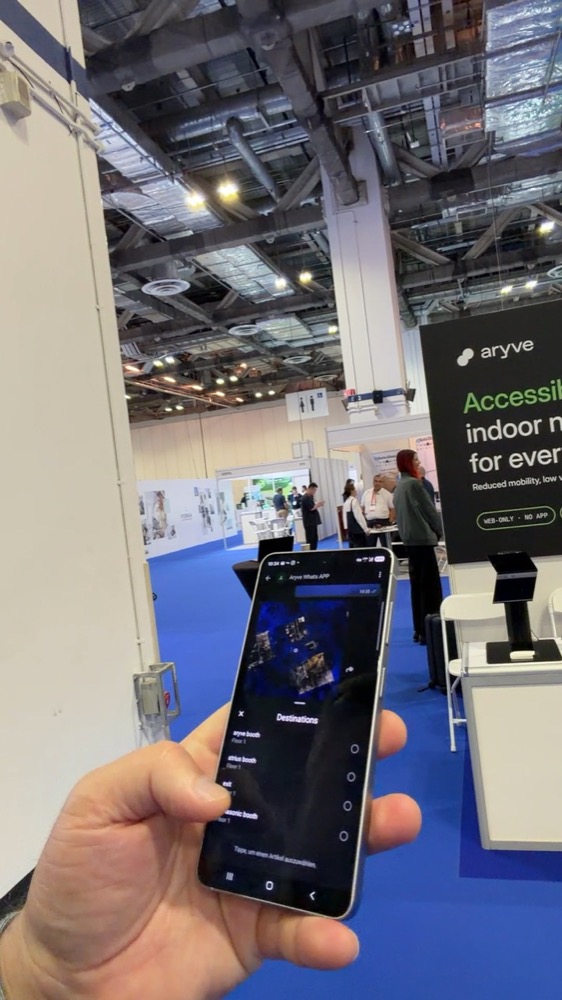
Destinations. "menu" opens a list, so nobody has to guess names.
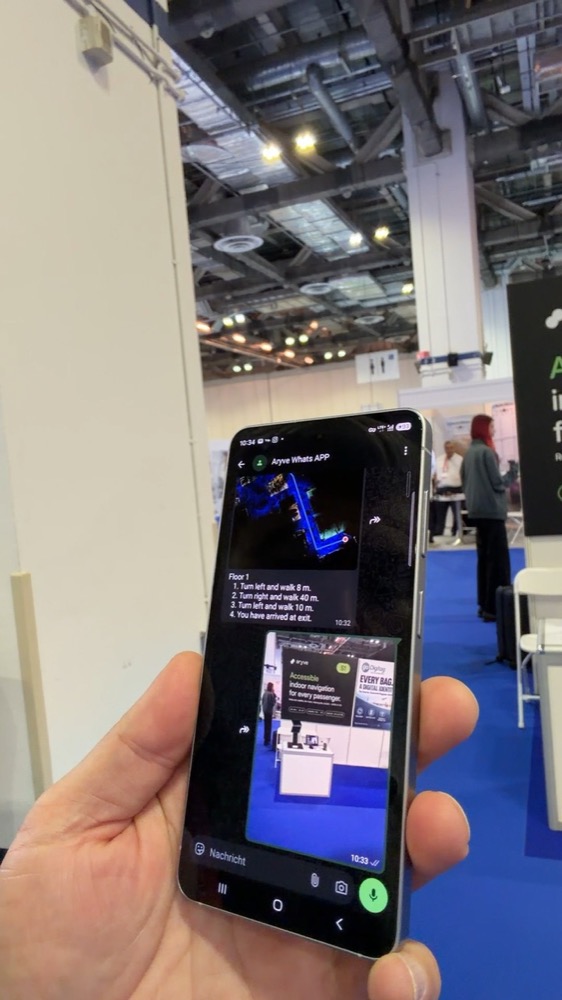
Route. A map and short steps with distances, ready to follow.
Guidance where passengers already are.
No download
Most passengers already have WhatsApp. They scan a code or tap a link and start. Nothing to install at the gate with weak Wi-Fi.
No hardware
Position comes from the photo and a digital twin of the building. No beacons to install, power or replace.
Accessible
Text works with screen readers and large fonts. Routes can avoid stairs for passengers with reduced mobility.
Privacy built in
People in the photo are blurred. aryve uses the image only to work out the position.
Short and clear
One message per waypoint, with distances. Easy to read while walking with a trolley or a child.
Same map, every channel
The chat uses the same digital twin as aryve's browser navigation, AR view and staff tools.
One chat, many moments in the journey.
From check-in to the gate
QR codes on signs and info desks open the chat. Passengers find gates, lifts, toilets and the PRM meeting point without asking.
In the messages you already send
Add the chat to boarding and gate-change messages, so passengers get from where they are to the right gate.
Step-free routes on request
Passengers with reduced mobility get routes via lifts and ramps, in text that works with their phone's accessibility settings.
Trade shows and large buildings
As in the demo: find a booth, the exit or a meeting room in a hall where GPS does not work.
Filmed at our booth, with a normal phone.
The video shows the chat working in a busy exhibition hall: one photo, the position, the destination list and the route to the exit. The same technology runs in live operation at Paderborn/Lippstadt Airport, where the terminal was scanned and live within 48 hours.
Questions we often hear
Do passengers need to install anything?
No. They use WhatsApp, which most already have. A QR code or a link opens the chat with aryve.
How does aryve know where the passenger is?
aryve's Visual Positioning System compares the photo with a digital twin of the building, made from a one-time 3D scan. It returns the floor, the position to about 10–30 cm and the viewing direction, in 1 to 3 seconds.
What happens to the photos?
People in the image are blurred, and the image is only used to calculate the position. Data protection details depend on the deployment and are agreed with each airport.
Does it need beacons or Wi-Fi positioning?
No. No hardware is installed in the building. The passenger's phone only needs a data connection to send the photo.
What do we need to get started?
A scan of the area you want to cover and a list of destinations. We usually start with one zone, for example one pier or the arrivals hall, and extend from there.
See the chat in your own terminal.
In 30 minutes we show you the demo live and sketch which zone and destinations would make sense for a first pilot.