aryve for airport service providers

Send the right person to the right place. See every asset in the terminal.

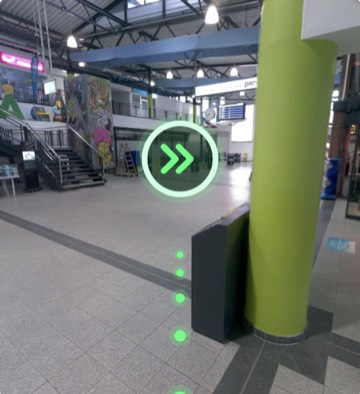
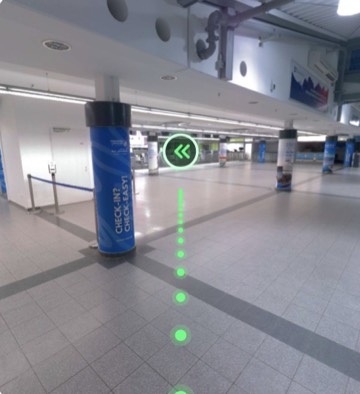
Facility, cleaning, PRM and fleet teams are guided to the exact spot in the terminal, only through the areas their access level allows. Buggies, wheelchairs, trolleys and robots appear on one live dashboard, so the operator sees the whole picture. One camera image, no beacons.

1–3 sto a position from one camera image
±10–30 cmpositioning accuracy indoors
0beacons, tags or cabling
1dashboard for staff, assets and robots
The problems we solve

Where service teams lose time in the terminal

Service providers do not buy indoor navigation. They buy shorter response times, fewer searches for equipment and SLA reports nobody can argue with. These are the questions we hear most.

Film · asset tracking

Every buggy, wheelchair and robot on one dashboard

An animated walk through aryve asset tracking: the fleet on the digital twin, the nearest free buggy, utilisation, and an alert when a robot stops in front of an emergency exit.

  • Positions from camera snapshots, no beacons or tags
  • Same dashboard and API for buggies, wheelchairs and robots, whatever the vendor
  • People blurred on the device, snapshots deleted after localisation
Facility management and maintenance

Send technicians to the fault, not to the area

How do technicians reach a fault in the terminal faster?

Work orders with an exact location

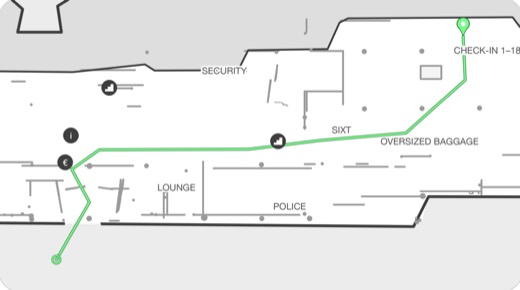
A report like "broken light, corridor B, section 4" becomes a point in the digital twin of the terminal. The technician opens the job and is guided step by step to the spot, also on a level or in a zone they rarely work in. Arrival at the job is logged with time and place.

  1. The fault is pinned in the digital twin, with level and zone
  2. The technician is guided step by step to the spot
  3. Arrival is logged with time and place
MaintenanceWork ordersFacility

Can staff routes respect access levels in the terminal?

Routes that follow the access level

Landside, airside, the baggage hall, technical rooms and staff-only corridors are marked in aryve Studio. Staff are guided only through the areas their access level allows, so a cleaner, a technician and a security officer get different routes to the same place.

  1. Areas and staff-only paths are marked by access level in aryve Studio
  2. Each team member is routed only through permitted areas
  3. Restricted doors and checkpoints appear on the route
Access levelsAirsideStaff routes

How do external contractors find a job airside on their first visit?

External contractors with the right clearance

A lift engineer or an escalator contractor gets the job with the meeting point, the staff entrance and the security checkpoint for their temporary pass. The route uses only the areas their clearance allows, and the job shows whether an escort is required.

  1. Job with meeting point, staff entrance and checkpoint
  2. Route only through areas the clearance allows
  3. Escort required? The job says so
ContractorsClearanceAirside

How can inspection rounds be planned and recorded in a terminal?

Inspection rounds with proof

Fire extinguishers, emergency exits, defibrillators and fire doors are points in the digital twin. aryve guides the inspector from one checkpoint to the next, and each checkpoint is recorded with time and place.

  1. Checkpoints in the digital twin, grouped into rounds
  2. Guided from one checkpoint to the next
  3. Each checkpoint recorded with time and place
Fire safetyInspectionProof
Cleaning

Cleaning teams and robots where they are needed

How can the nearest cleaner reach a spill before someone slips?

Cleaning on demand

A spill or a toilet that needs attention is reported with a photo, by staff or by a passenger. The photo gives the exact position. The job goes to the nearest free cleaner, who is guided to the spot.

  1. Report with a photo, the position comes from the image
  2. The job goes to the nearest free cleaner
  3. Guided to the spot, done in the app
CleaningOn demandSafety

How can cleaning robots be monitored on one map with the cleaning teams?

Cleaning robots on the same map

Cleaning robots with their own camera are located on the same digital twin as staff and equipment, whatever the vendor. If a robot stops in a zone that must stay clear, such as an emergency exit, the control room gets an alert with position, zone and status.

  1. Robots from any vendor on one map
  2. Status and position in real time
  3. Alert when a robot blocks a zone that must stay clear
RobotsCleaningAlerts

How can cleaning providers prove which areas were cleaned and when?

Cleaning records per zone

Every finished job and every cleaned zone is recorded with time and place. The provider can show the airport which areas were cleaned, how often, and how fast reported spills were handled.

  1. Jobs and zones recorded with time and place
  2. Overview per zone and per shift
  3. Response times for reported spills
SLAReportingCleaning
Assets and situational picture

Every asset on one map: the operator sees the whole picture

How can an operator see where all buggies, wheelchairs, trolleys and robots are?

One live dashboard for every asset

Buggies, wheelchairs, trolleys, cleaning machines and robots are shown on one live map of the terminal, with type, status, level and last position. A camera device on the asset, or the robot's own camera, sends a snapshot; aryve returns the position. The operator sees the whole fleet at a glance and finds the nearest free buggy without calling around.

  1. A camera device on the asset, or the robot's own camera
  2. Type, status, level and last position on one map
  3. Nearest free asset in seconds
Asset trackingDashboardNo beacons

How can airports and service providers see idle equipment and empty stations?

From positions to decisions

The same positions show which assets stand idle, which stations are empty and how busy the fleet is. Wheelchairs can be moved to the PRM points that need them before passengers wait.

  1. Idle assets and empty stations
  2. Utilisation per zone and per hour
  3. Move assets to where they are needed
UtilisationWheelchairsPlanning

Can an operator be alerted when equipment blocks an emergency exit or leaves its zone?

Alerts for zones that must stay clear

Zones such as emergency exits, fire lanes or the airside boundary are marked in the digital twin. When an asset stops in a zone that must stay clear, or leaves the area it belongs to, the control room gets an alert with position, zone and status, so the team knows exactly where to go.

  1. Zones marked in the digital twin
  2. Alert when an asset blocks or leaves a zone
  3. Position, zone and status for the team
AlertsSafetySituational picture
Staff and dispatch

The nearest qualified person, at the right place

How can dispatchers send the nearest qualified person to a job?

Dispatch the nearest qualified person

Dispatchers see jobs and teams on one map. Your workforce system knows who holds which clearance and qualification; aryve adds the live position. The job goes to the nearest person who is allowed to go there, and the arrival is recorded for SLA reporting.

  1. Jobs and teams on one live map
  2. Nearest person with the right clearance and skills
  3. Arrival recorded for SLA reporting
DispatchSLAWorkforce

How do new and temporary staff find their post at the start of a shift?

New staff at their post on time

At the start of a shift, new and temporary staff are guided from the staff entrance to the locker room, the briefing and their post. Nobody has to walk them through the terminal, and the shift starts on time.

  1. From the staff entrance to lockers and briefing
  2. Then to the post for this shift
  3. Also for agency and seasonal staff
OnboardingShift startStaff

How do PRM assistance staff find a passenger in the terminal?

PRM assistance and porters at the exact spot

The passenger shares the position with one photo or one tap. Assistance staff and porters see where the passenger is and walk straight there. Handovers between teams and shifts happen at an exact meeting point, not a vague description.

  1. The passenger shares the position
  2. Staff see it and are guided there
  3. Handover at an exact meeting point
PRMPortersHandover
Fits your operation

Into your systems, with privacy built in

Your systems

Positions, arrivals and alerts come through a REST API into the systems you already run for work orders, dispatch and reporting. Or your teams use the aryve app.

Access levels in aryve Studio

Landside, airside, technical rooms and staff-only paths are maintained in aryve Studio. Changes reach every team at once. See aryve Studio →

Privacy for staff

When positions are shared is set up with you, for example only during a shift or while a job is open. People are blurred on the device, and aryve can run on premise.

Already running

Live at the airport, cleared for privacy

Paderborn/Lippstadt AirportLive in the terminal

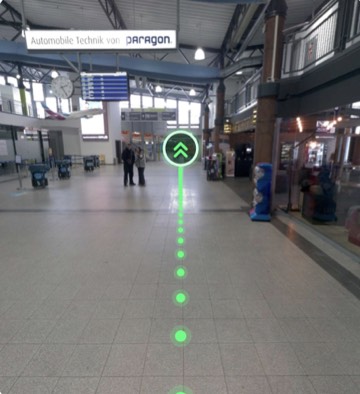
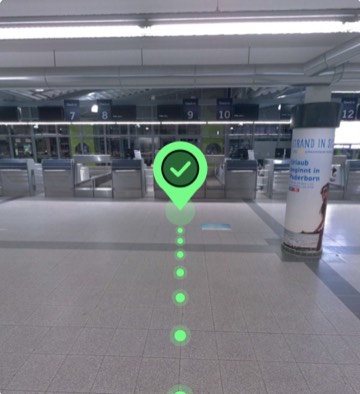
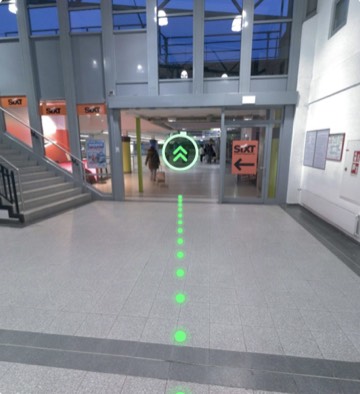
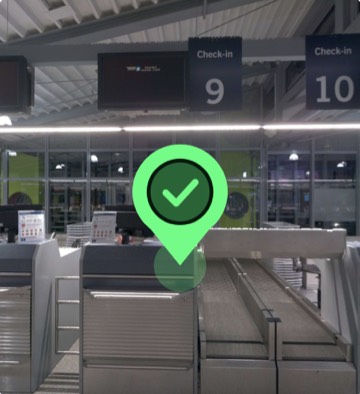
Navigation in live operation, and robots are already located with aryve in the terminal.

Munich AirportPrivacy audit passed

The data protection review for camera-based positioning has been completed successfully.

Asset trackingaryve Find

The same positioning powers aryve for Asset Tracking. Learn more →

FAQ

Questions service providers ask

Can staff routes respect access levels?

Yes. In aryve Studio, areas and paths are marked by access level, for example landside, airside, the baggage hall, technical rooms and staff-only corridors. Staff are guided only through the areas their access level allows.

Do staff have to share their position all the time?

No. When and with whom positions are shared is set up with you, for example only during a shift or only while a job is open. People in camera images are blurred on the device, snapshots are deleted after localisation, and aryve can run on premise.

Which assets can be tracked?

Any asset that carries a camera device: robots with their own camera, buggies, carts or cleaning machines with a mounted phone or camera, and staff phones. The position comes from the camera image, matched to the digital twin of the terminal.

Does aryve need beacons or other hardware in the terminal?

No. aryve is a Visual Positioning System: it finds the position from one camera image by comparing it with a digital twin of the terminal. No beacons, tags or cabling are installed.

Can positions go into our CAFM or workforce system?

Yes. Positions, arrivals and alerts are available through a REST API, so they can flow into the systems you already run for work orders, dispatch and reporting. Teams can also use the aryve app.

How accurate is camera-based indoor positioning?

aryve positions indoors to about 10 to 30 centimetres from one photo, in 1 to 3 seconds.

How do we start?

With a proof of concept in one terminal zone, with the teams and assets you choose. A pilot runs for about four to six weeks.

Pick one zone and one team. We show you the result in weeks.

Book a call →